
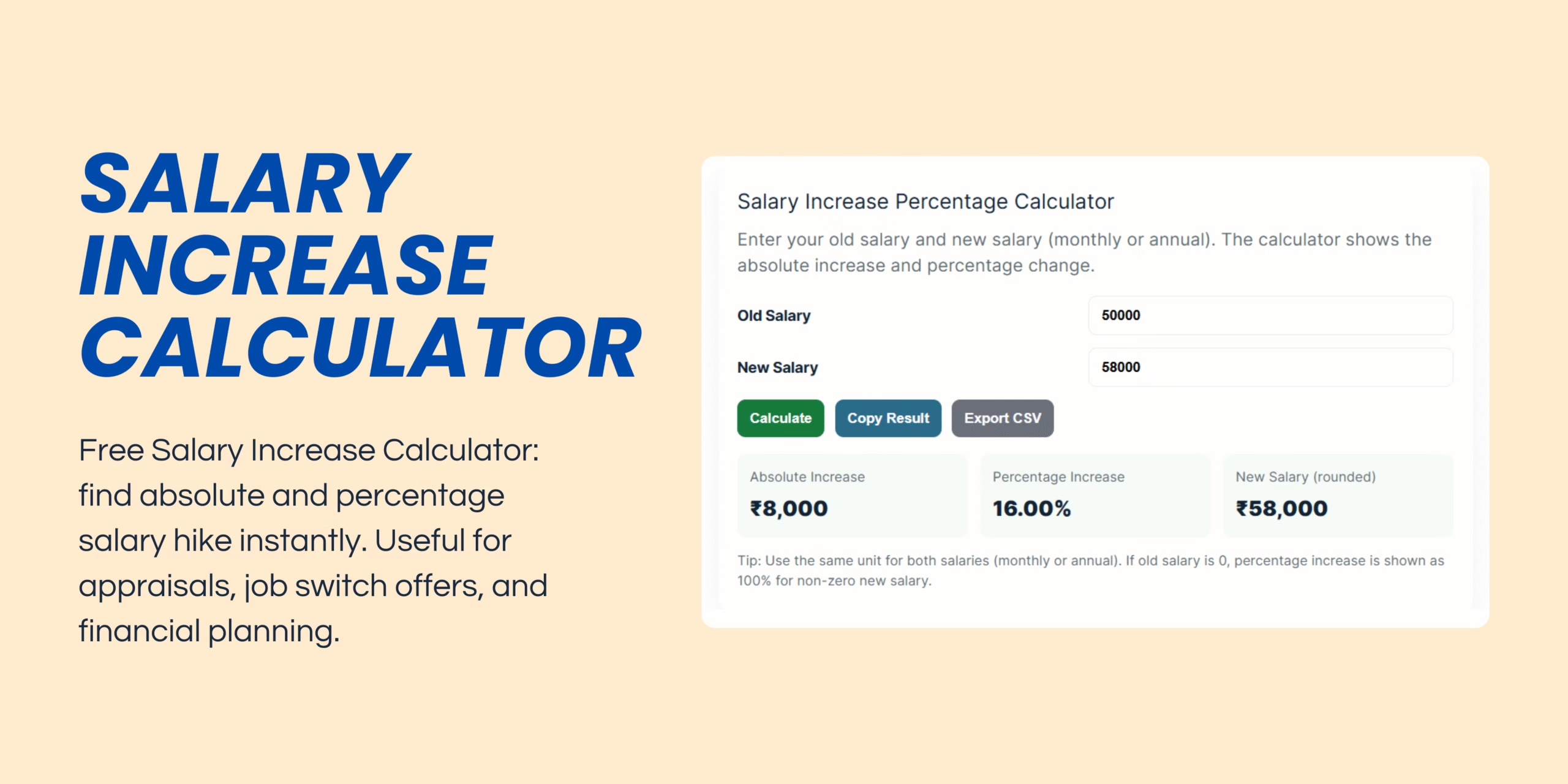
Salary Hike Calculator
Enter your old salary and new salary (monthly or annual). The calculator shows the absolute increase and percentage change.
When most of us receive a salary hike, the excitement is instant. More money in the bank feels like progress, and we often celebrate without really understanding what that increase truly means.
But here’s the truth: not every hike translates into real financial growth. This is where a hike calculator becomes your best friend.
By using a simple tool to calculate your salary hike in both absolute numbers and percentage terms, you can cut through the illusion of “more money” and see whether your raise is genuinely impactful.
In this article, we’ll explore why a hike calculator matters, how it works, real-life examples, and tips to use it smartly in your financial journey. To see how to calculate hike percentage try our calculator.
Why You Should Use a Hike Calculator
A salary hike is more than just the extra amount credited to your account. It has long-term implications for your financial security, lifestyle, and future savings. Here’s why using a hike calculator is essential:
- See the real growth: An extra ₹5,000 might feel good, but what if it’s only a 5% increase while inflation is 7%?
- Benchmark against industry standards: Different industries have different average hikes — IT might give 10–12%, while traditional sectors may average 5–7%.
- Evaluate promotions and role changes: Are you being fairly compensated for added responsibilities?
- Plan smarter: Knowing the percentage helps you adjust budgets, investments, and career plans.
How a Hike Calculator Works
Using a hike calculator is extremely simple. You just need two inputs:
- Old Salary – monthly or annual (keep the same unit).
- New Salary – monthly or annual.
The calculator will instantly show you:
- Absolute Increase (New – Old)
- Percentage Increase (Difference ÷ Old × 100)
- Final Salary (easy-to-read rounded figure)
Example:
- Old Salary = ₹50,000
- New Salary = ₹58,000
- Absolute Increase = ₹8,000
- Percentage Increase = 16%
This quick view helps you understand your growth beyond just “extra money.”
Why Percentage Matters More Than Numbers
Let’s look at two cases:
| Person | Old Salary | New Salary | Absolute Hike | Percentage Hike |
|---|---|---|---|---|
| A | ₹25,000 | ₹30,000 | ₹5,000 | 20% |
| B | ₹1,00,000 | ₹1,05,000 | ₹5,000 | 5% |
At first glance, both get the same ₹5,000 hike. But Person A’s hike is 20%, which is a huge jump in growth, while Person B’s hike is only 5%, barely covering inflation.
👉 This is the biggest reason to always check percentage hike using a hike calculator.
Real-Life Anecdote: When a 10% Hike Wasn’t Enough
A friend of mine was thrilled when his company announced a 10% salary hike. On paper, it looked great. But then he realized:
- Inflation was 8% that year
- His rent increased by 5%
- His net savings actually went down
The lesson? A hike calculator showed him that his “raise” wasn’t really a raise in real terms. After that, he started negotiating harder during appraisals and switching jobs with a clear understanding of percentages. how to calculate salary hike percentage is where need the most.
Where a Hike Calculator Can Help You
A salary hike calculator is not just for appraisal time. You can use it in multiple scenarios:
- Job Switch: See if the new offer gives you a competitive hike.
- Promotions: Check whether the raise matches your added responsibilities.
- Negotiations: Use actual numbers in HR discussions — it adds credibility.
- Financial Planning: Helps in budgeting, saving, and investing by understanding your real income growth.
- Career Tracking: Compare hikes over 3–5 years to see your average growth rate.
Tips to Use a Hike Calculator Smartly
To get the most out of a hike calculator, follow these simple tips:
- Always use the same unit (monthly vs monthly, annual vs annual).
- Look at both numbers: Absolute increase for budgeting, percentage hike for career growth.
- Compare with peers in your industry to ensure fairness.
- Factor in inflation: If inflation is higher than your hike, you’re actually losing out.
- Think long-term: One year’s hike doesn’t matter as much as your 3–5 year average.
Limitations of a Hike Calculator
While a hike calculator is useful, it’s not a complete financial tool. Keep these points in mind:
- It doesn’t adjust for inflation or rising costs directly.
- It doesn’t calculate take-home salary after taxes (a hike may push you into a higher tax bracket).
- It doesn’t consider bonuses, stock options, or perks.
- It’s a quick reference tool, not a substitute for long-term financial planning.
Final Thoughts
A hike calculator may look like a small tool, but it brings big clarity to your financial journey. Instead of just celebrating a bigger number in your salary slip, you get to see whether your raise is truly meaningful.
By using it smartly, you can:
- Negotiate better with employers
- Plan your finances more effectively
- Compare growth with industry benchmarks
- Protect yourself from the hidden impact of inflation
At the end of the day, your salary is the foundation of your financial life. Tracking its growth with a hike calculator ensures you make smarter, more informed career and money decisions.
Check out our EMI calculator
1 thought on “Hike Calculator: Understand Your Salary Growth”